Due to an OSIS Interstate UIB analyzer issue in 2014, duplicate or non-sequential referral sequence numbers created pending referrals. Workers can manually resolve the duplicate referrals by taking the below actions.
- In OSIS, when you see an erroneous REFU, there will be the message: CE775M06 – REFERRAL FOUND. DUPLICATE PENDING SEQ EXISTS. PRESS ENTER TO VIEW.
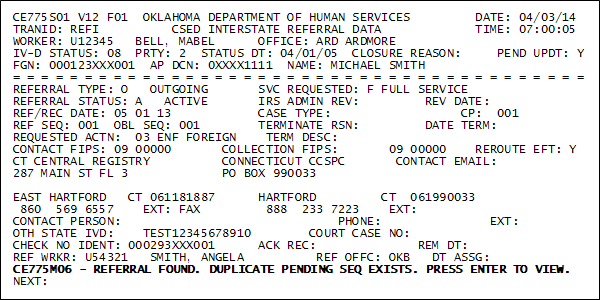
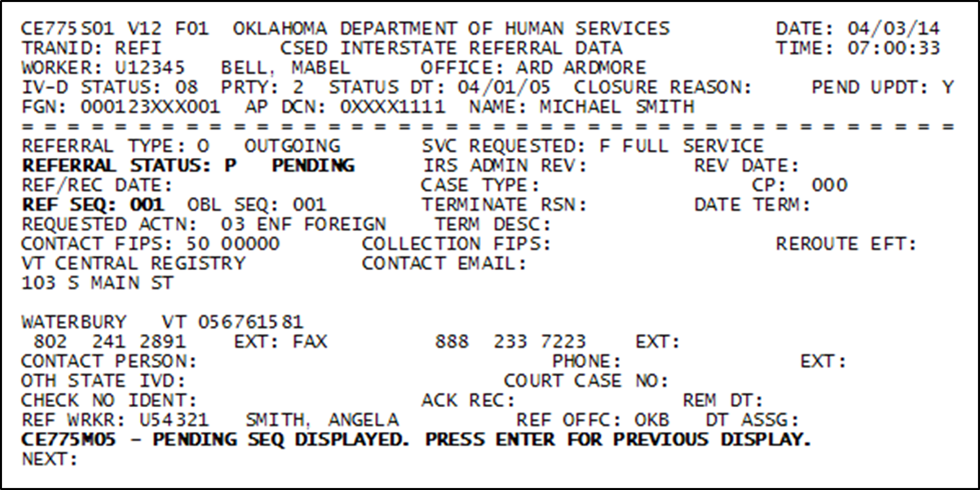
- Press the Enter key to see the duplicate referral. On that screen you will see the message: CE775M05 – PENDING SEQ DISPLAYED. PRESS ENTER FOR PREVIOUS DISPLAY.
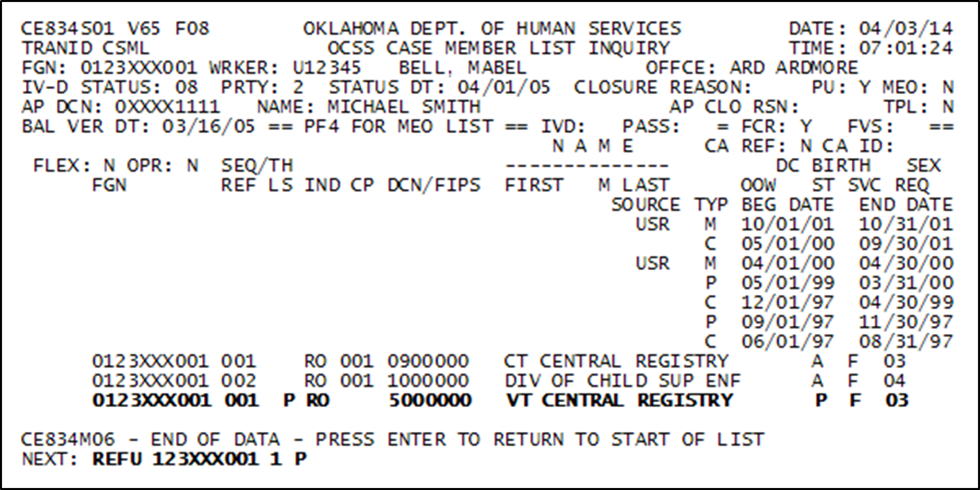
- To resolve the duplicate referral, enter: REFU FGN 1 (the last digit of the Referral Sequence Number in question) P (for Pending) Example: REFU 123XXX001 1 P
-
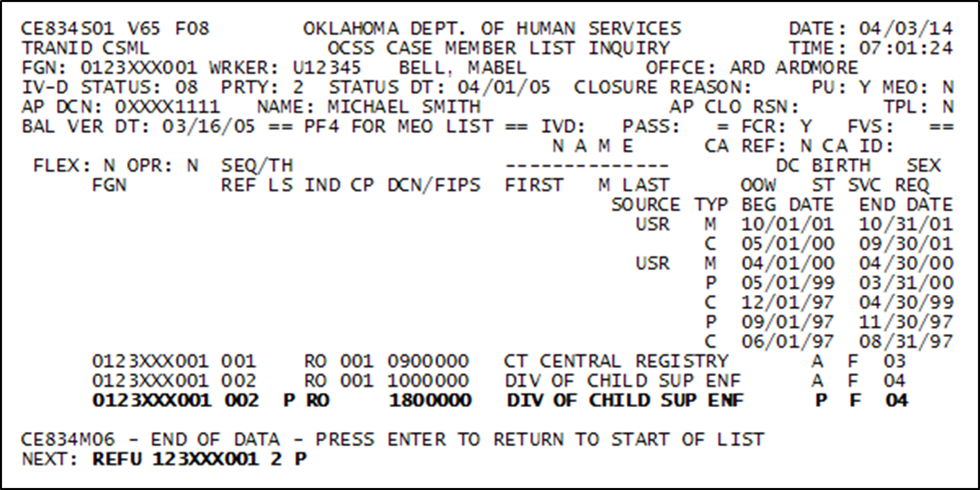
NOTE: The last digit of the Referral Sequence Number in question may not be a 1. Example: REFU 123XXX001 2 P
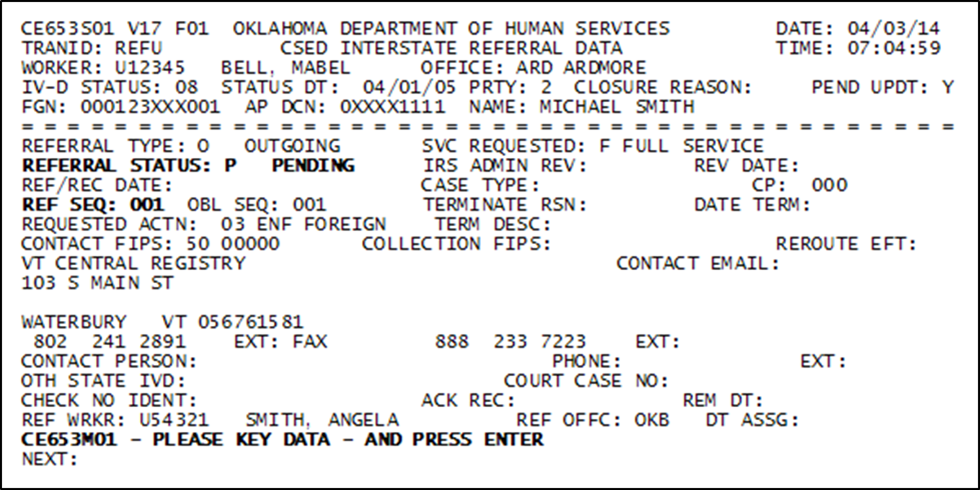
- The pending REFU displays the following message: CE653M01 – PLEASE KEY DATA – AND PRESS ENTER
-
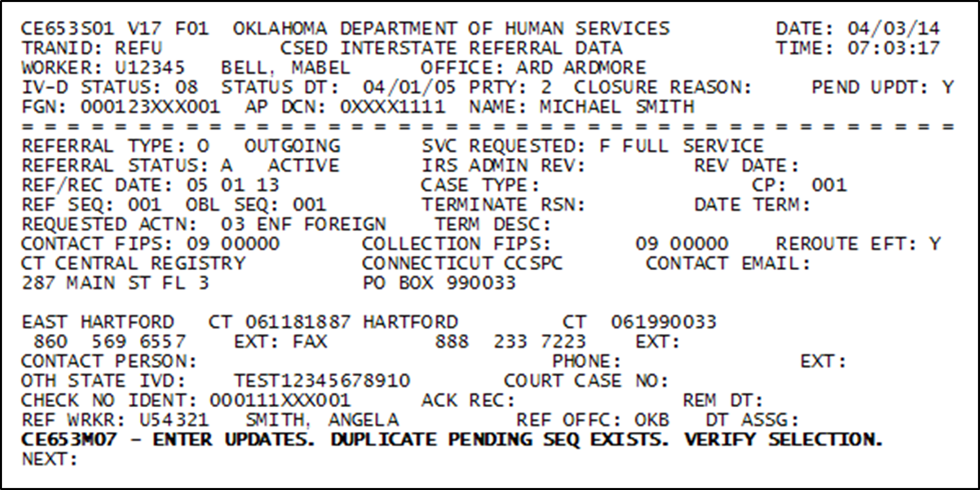
NOTE: If you enter the REFU command without the Pending reference (e.g. REFU 123XXX001 1), OSIS will display this message: CE653M07 – ENTER UPDATES. DUPLICATE PENDING SEQ EXISTS. VERIFY SELECTION.
Once you are in the pending referral, you can take one of two actions. You can:
- Terminate the referral if it was erroneous and you are NOT going to send it to the other state. This will resolve the duplicate by terminating it and removing the pending REFU from the CSML screen;
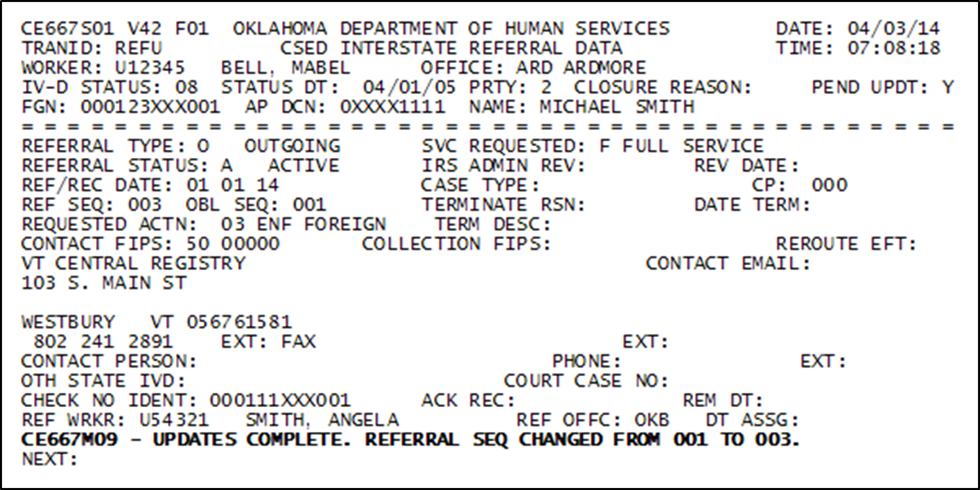
Or - Activate the referral if you intend to send the Referral to the other state. Once the REF/REC DATE is updated, a completion messages like: CE667M09 – UPDATES COMPLETE. REFERRAL SEQ CHANGED FROM 001 TO 003 will display.
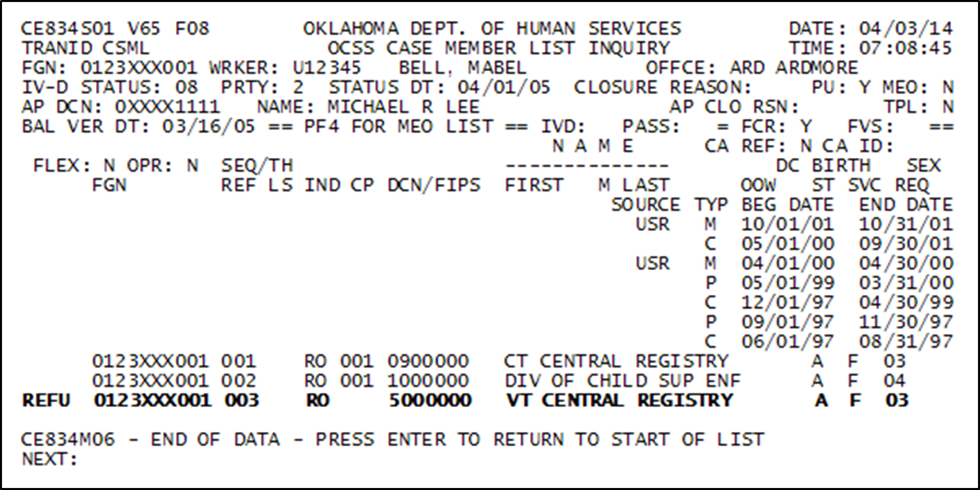
NOTE: The Referral Sequence Number will vary depending on how many referrals are on the CSML screen
You may want to also refer to CSQuest articles Steps to Terminate an Intergovernmental Referral and How to Activate a Pending Referral.