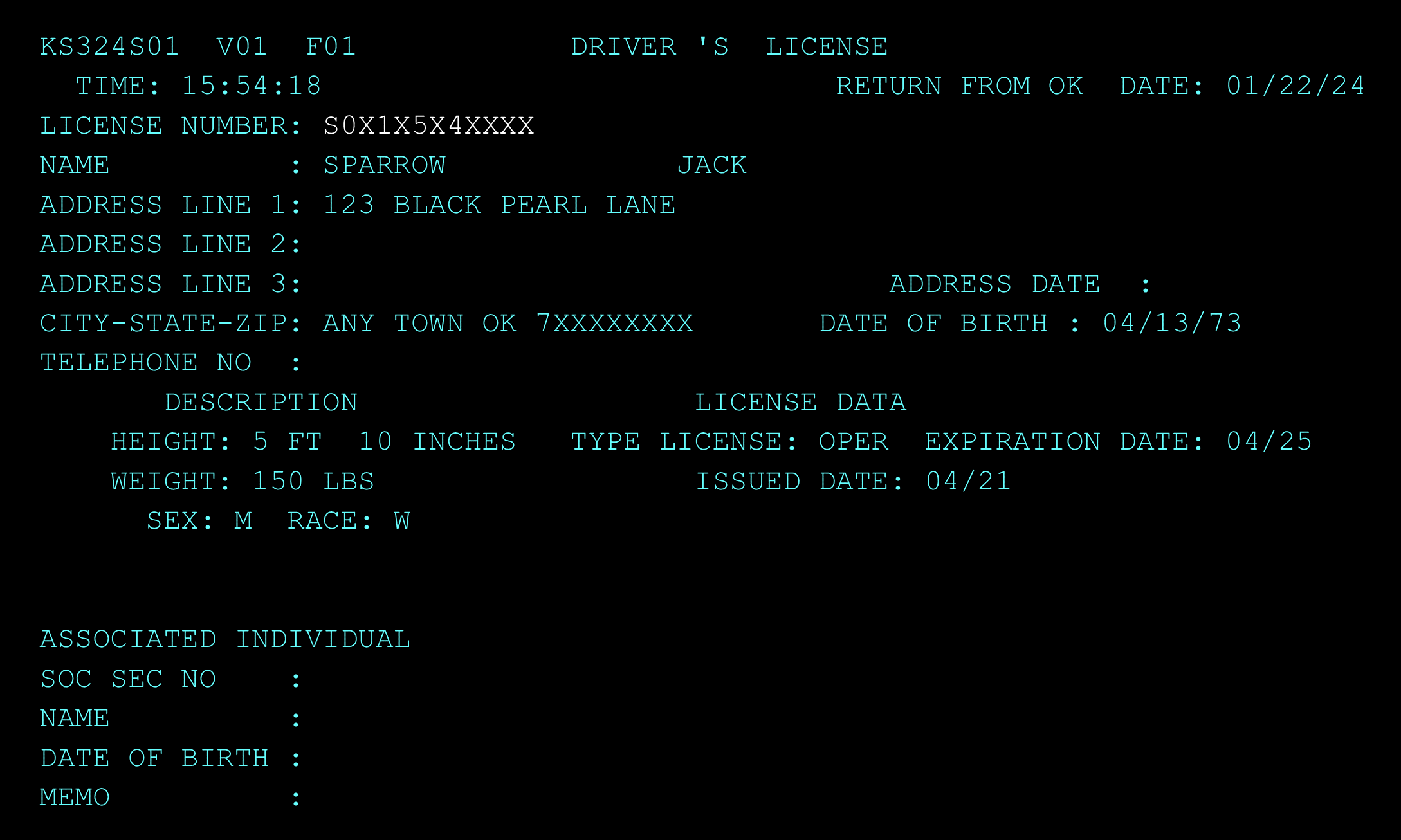
CSS can search the Service OK System (previously DPS) for driver’s license information. To conduct a search access the PIEX screen by typing PIEX from either a blank screen or the next line.
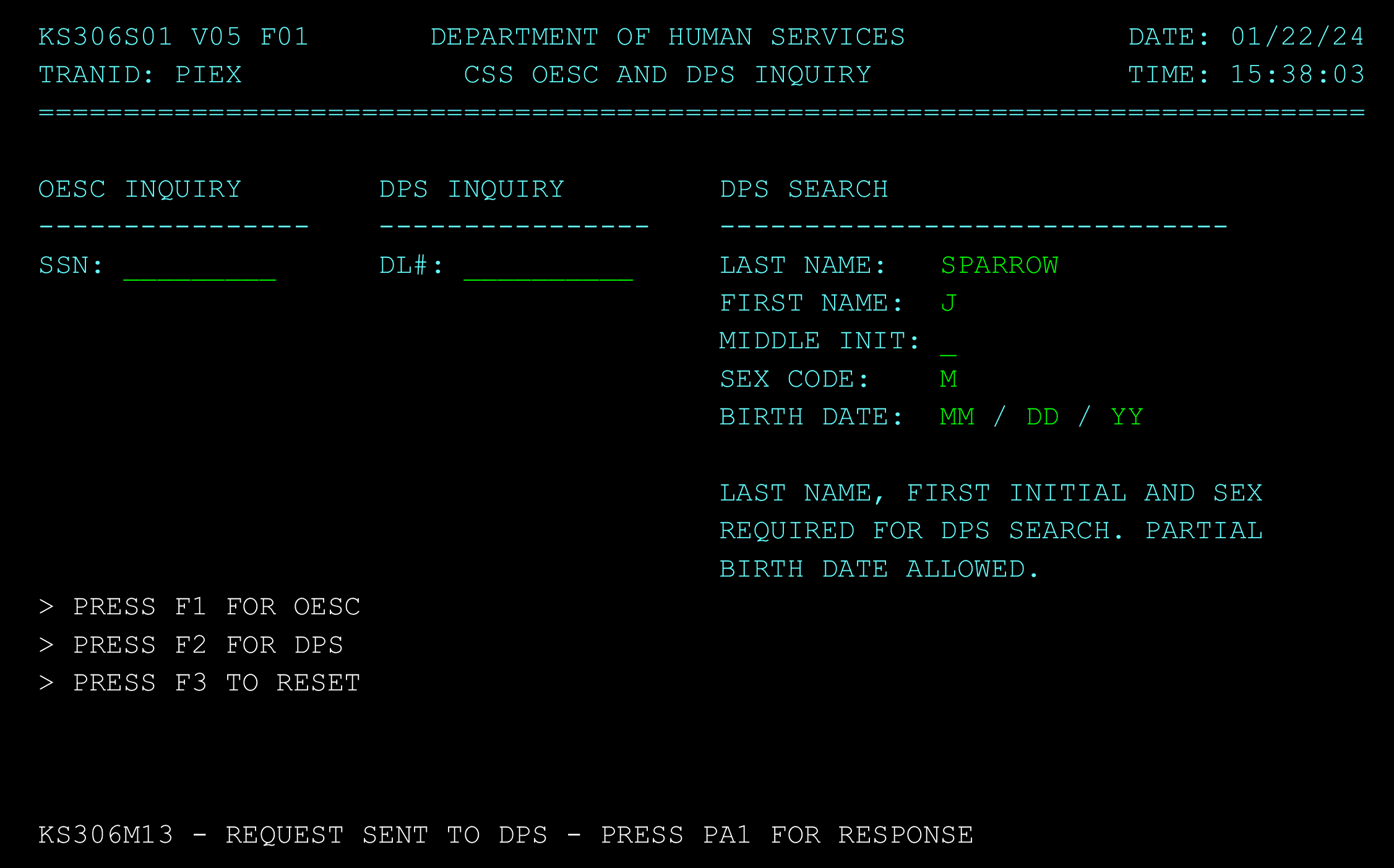
Tab to the DPS section of the PIEX screen and enter at least the last name, first initial, and sex of the person that you are wanting to search for. The full first name, middle initial, and date of birth are optional. However, the more information that you provide will make the search results closer to the person you are actually looking for. For example, if you were to search for J Smith it will pull up a lot of possible matches. To narrow the search, you could enter the full name and/or date of birth.
To initiate the search, press the F2 key. The search will process and when it is complete it will tell you to press the PA1 key (page up key) to see the results.
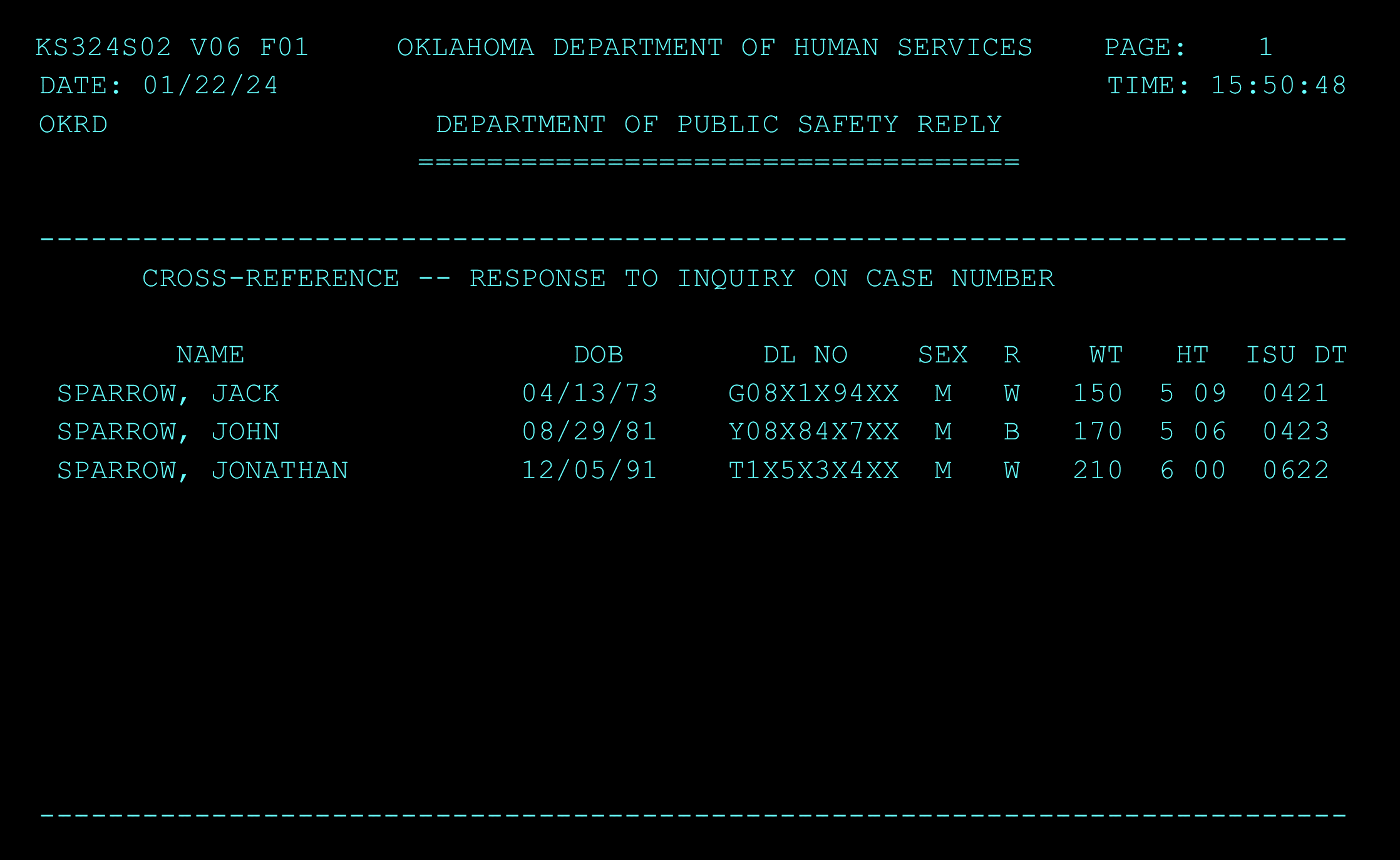
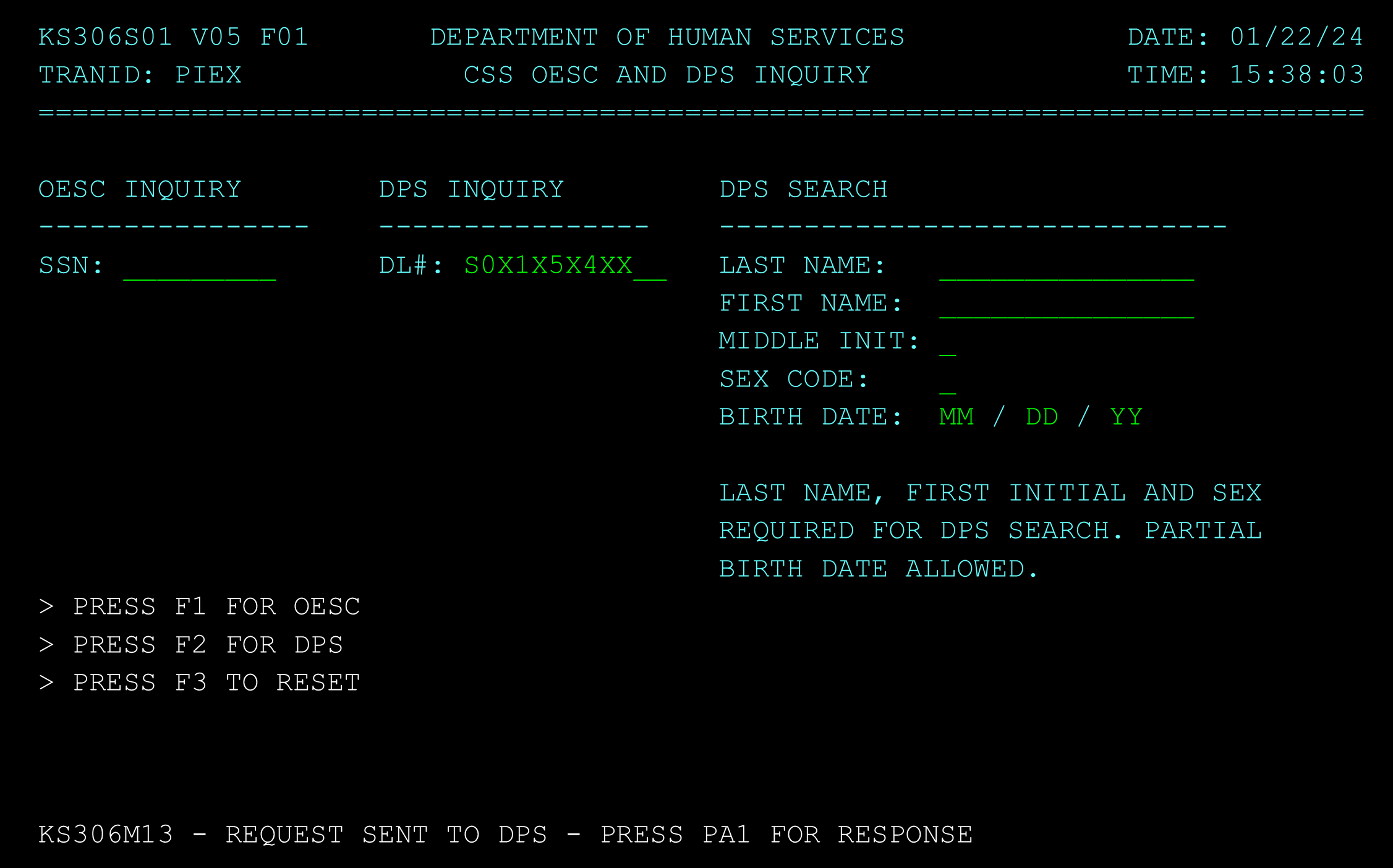
To access more information about the individual copy the driver’s license number and return to the PIEX screen. Press the F3 key to reset the search. Tab to the DPS Inquiry field and enter the driver’s license number and press the F3 key to initiate the search. When the search is completed, the system will display press the PA1 key (page up key).
The screen will now display the most recent information that Service Oklahoma has for the individual’s license.