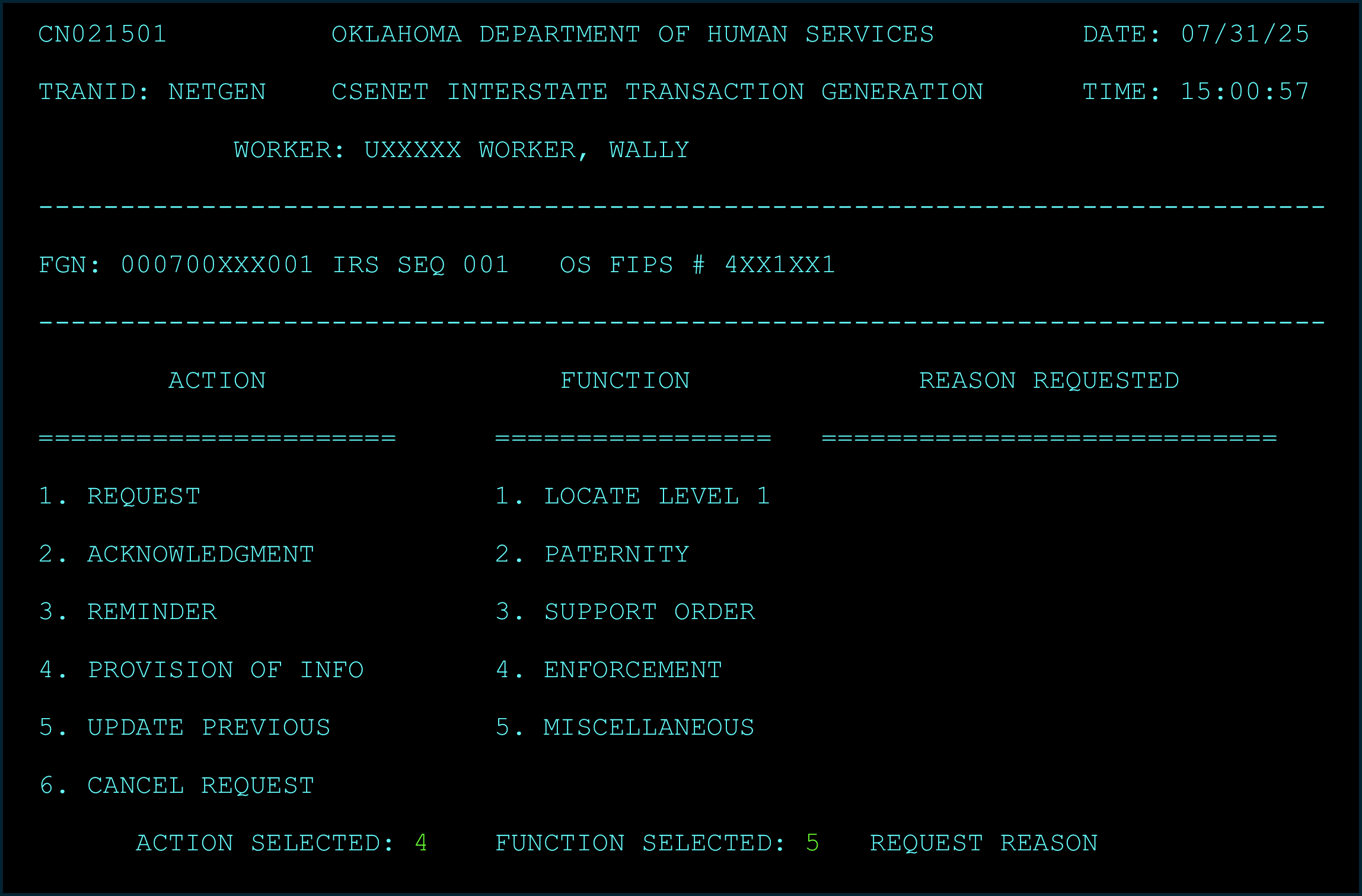
Even when an interstate child support referral is officially closed in our system, workers sometimes need to send a Child Support Enforcement Network (CSENet) message to the other state. This is often to provide new information, clarify past details, or respond to a late inquiry, ensuring continued clear communication and case integrity.
How to Send a CSENet Message on a Closed Referral:
- Go to the NETGEN Screen.
- Type NETGEN and then enter the FGN and the Referral Sequence Number from the original, now-closed interstate referral or simply type NETGEN next to the referral line in the CSML screen.
- Fill Out These Fields Carefully:
- Action Selected: Type “4” (meaning you’re Providing Information).
- Function Selected: Type “5” (meaning it’s a Miscellaneous or general update).
- Request Reason: Leave this field BLANK.
- Write Your Message in the “NOTES” Section.
- This is where you’ll explain everything. Be clear and brief.
- Start by stating that the Oklahoma case is closed, but you’re sending this message for informational purposes.
- Include any case numbers, email addresses, and who to contact if they need to reply. You get up to five lines here.
- Send It!
- Press Enter. You should see a message saying “Outgoing transaction successfully submitted.”
- Log What You Did.
- A Case Log entry will appear automatically. However, it’s always a good idea to add your own detailed note explaining why you sent the message, what codes you used, and what information you included.