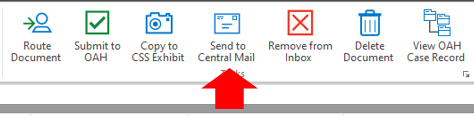
Once your document is ready to be filed with OAH follow these steps to file the document in OnBase.
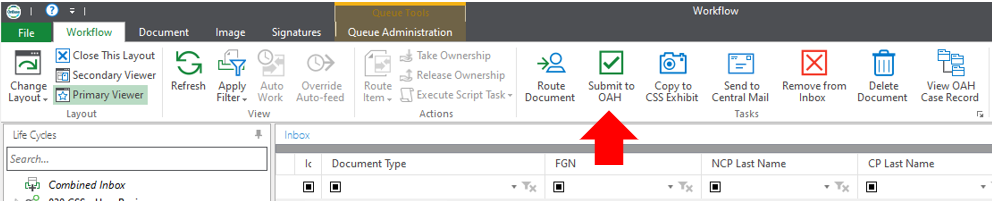
- Access your Workflow click on the document to be sent for filing to highlight it.

- Click on the Submit to OAH button on the ribbon.
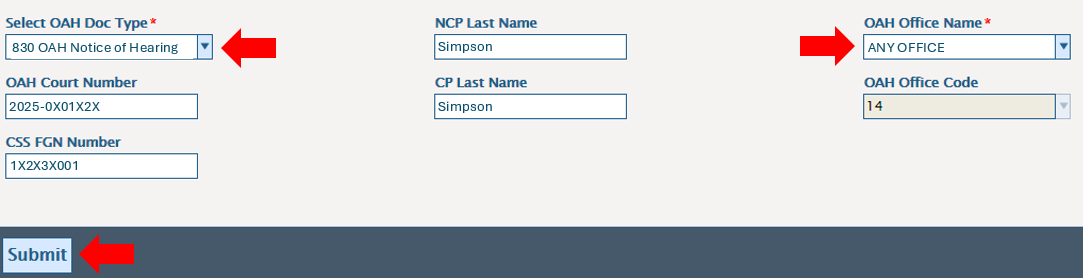
- A user interaction window will open. Enter the information for the document and press the Submit button.
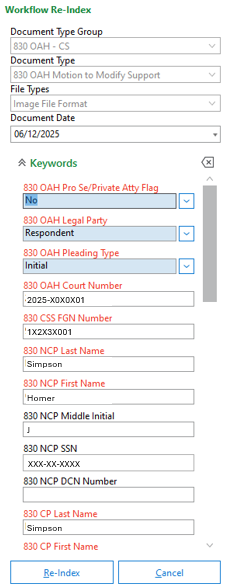
- You will be required to Re-index the document. Enter the required information and click on the Re-Index button.
- You will be asked if you want to add the case to a docket. Click on the option you want. For instructions on how to add a case to a docket see Adding a Case to OAH Docket.

- The document will be routed to the Pending Submission to OAH folder. The document will be held in this folder for 5 minutes to give the user time to request the document be returned if it was sent in error. To return to your inbox click on the Send Back to CSS button on the ribbon.
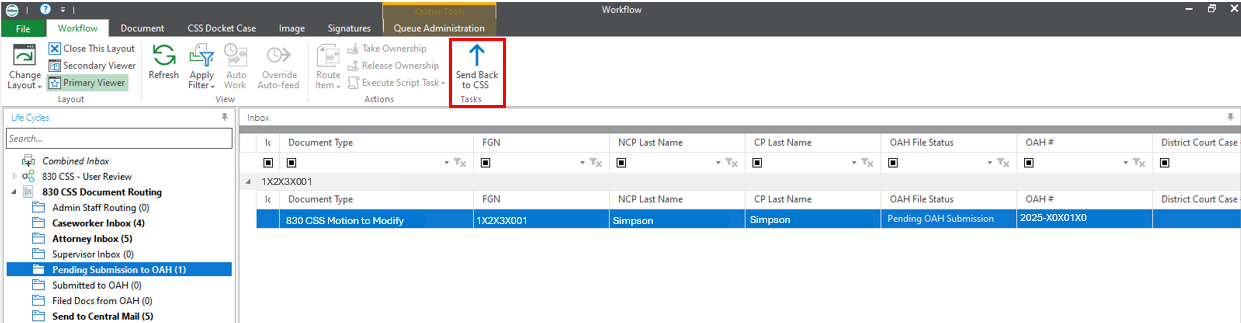
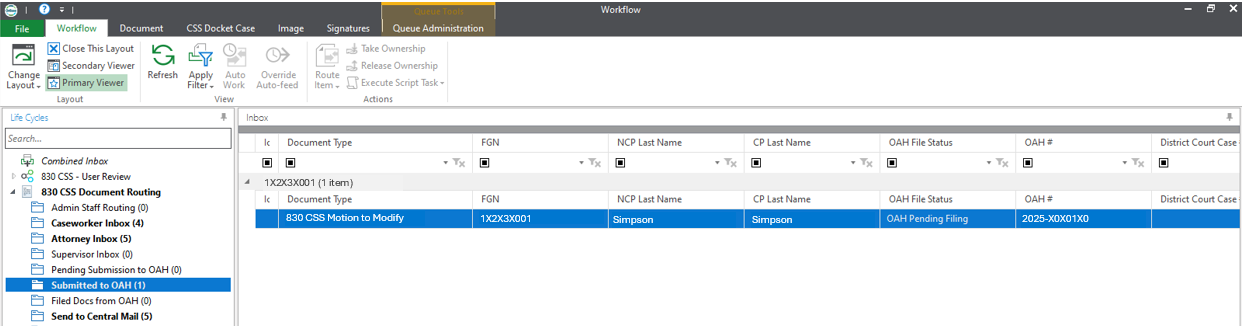
- If the document is not recalled within 5 minutes, it will automatically move to the Submitted to OAH folder. This folder is a holding folder to let you know the document was submitted to OAH. There is no action that needs to be taken when the document is in this folder.
- Once the document submitted has been filed with OAH the document will appear in the Filed Docs from OAH folder.
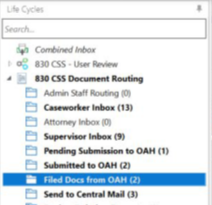
- You may choose to send the document to central mail from this folder by clicking on the Send to Central Mail button on the ribbon.