FSTOP FINANCE STOP AUTO PAYMENTS in ALC
Do you have a customer who continues to send automatic payments that need to be stopped? Are you spending time working undistributed receipts because automatic payments are still being submitted after they are no longer needed?
The FSTOP – Finance Stop Auto Payments letter is now available under the Finance category on ALC. It was designed to be flexible and easy to customize for a variety of scenarios involving the termination of automatic payments.
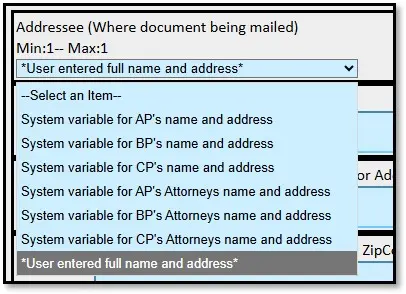
This letter allows you to select from existing addressee options or manually enter a customer’s name and address.
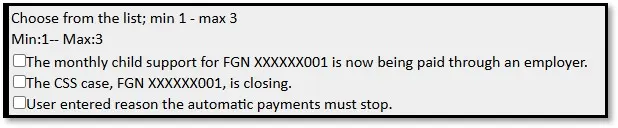
Choose from a list of prewritten reasons for requesting the termination of automatic payments or enter a custom reason by selecting “User entered reason the automatic payments must stop.”
Add any additional information or instructions at the end of the letter using the customizable text box, if needed.

FSTOP makes it easier to communicate the need to stop automatic payments to our customers. It even gives the NCP instructions on how to stop payments based on how they were set up. To view the contents of the letter, download the CSS Finance Stop Auto Payments example documents. If you have exhausted all efforts to get the customer to stop automatic payments, please reach out to the Center for Finance and Budget (CFB).