To remove a document from Workflow:
- Click on the document that you want to remove.

- Click the Remove from Inbox button on the Ribbon.
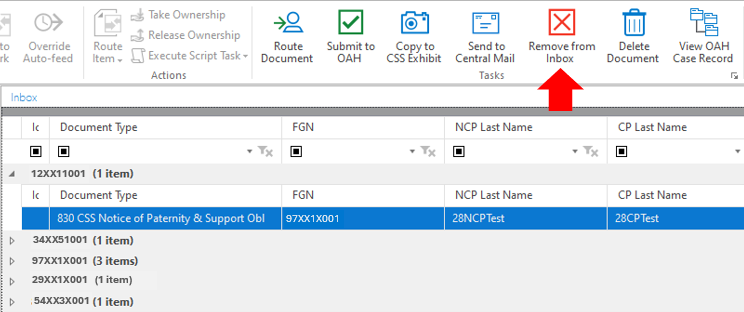
This will remove the document from your Workflow, but it does not completely remove the document from OnBase.
To completely remove the document from OnBase click on the Delete Document and the document will be sent to the Review Deletion Request box.