To view the Unreimbursed Assistance (URA), type URASI (sp) 0 next to the FGN in front of the custodial person (CP) on the CSML screen. Please review example below. Accessing URASI in this way displays the URA by FGN/CP sequence number. Alternative ways to view the URA include URASI (sp) C/H/J case # (sp) Person ID or URASI (sp) FGN (sp) CP sequence #. If a C/H number includes multiple payees, the URASI will only display the relevant data for that CP.
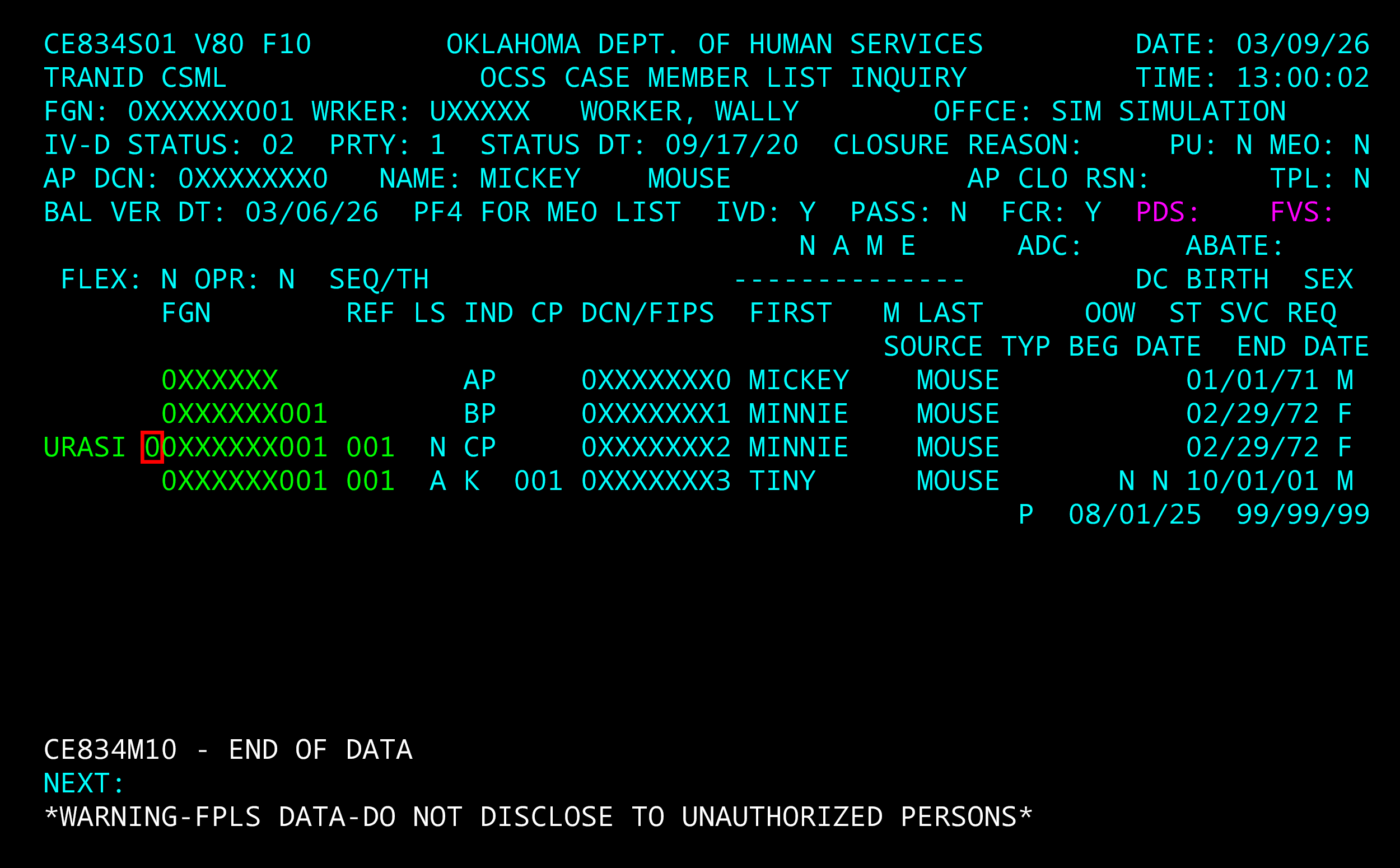
If the URASI does not display amounts, it is possible that the URA is not cross-referenced to the FGN and the following steps must be taken.
Cross-Referencing the URA
- Determine all FGNs where the custodial person is listed as the CP and make note of the CP sequence.
- Add a cross-reference tie for all FGN/CP sequences to the TANF case/person ID using XRU.
After the cross-reference tie between the FGN and C/H case number is created, the Temporary Assistance for Needy Families (TANF) expenditures will be populated.
If all cases are properly cross-referenced, URASI displays totals for all benefits expended for a CP and all receipts that the State has retained against that CP’s assigned TANF child support balances.
The URASI screen includes TANF URA and IV-E Foster Care URA balances. The worker will use the “TANF URA” and not the “Grand Total of URA”, as this may include both types of URA balances.